Posts

Showing posts with the label 6th sem cg lab

Pendulum

Image
# include <graphics.h> # include <conio.h> # include <dos.h> # include <process.h> int cx= 300 ,cy= 100 ,r= 300 ; int x= 0 ,y,p; int path( int dtn) { int x1,y1; setcolor( 15 ); if (x>=y) { return 0 ; } cleardevice(); if (dtn== 1 ) { circle(cx+x,cy+y, 20 ); line(cx,cy,cx+x,cy+y); } else { circle(cx-x,cy+y, 20 ); line(cx,cy,cx-x,cy+y); } delay( 10 ); if (kbhit()) exit( 0 ); x++; if (p< 0 ) p+= 2 *x+ 1 ; else { y--; p+= 2 *(x-y)+ 1 ; } x1=x; y1=y; path(dtn); cleardevice(); if (dtn== 1 ) { circle(cx+x1,cy+y1, 20 ); line(cx,cy,cx+x1,cy+y1); } else { circle(cx-x1,cy+y1, 20 ); line(cx,cy,cx-x1,cy+y1); } delay( 10 ); if (kbhit()) exit( 0 ); return ( 0 ); } void ...
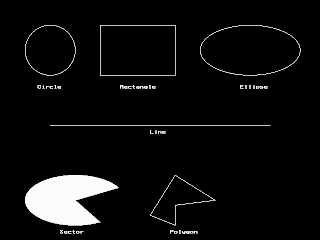
To start with graphics programming

Image
Turbo C has a good collection of graphics libraries. If you know the basics of C, you can easily learn graphics programming. To start programming, let us write a small program that displays a circle on the screen. /* simple.c example 1.0 */ #include<graphics.h> #include<conio.h> void main() { int gd=DETECT, gm; initgraph(&gd, &gm, "c:\\tc\\bgi " ); circle(200,100,150); getch(); closegraph(); } To run this program, you need graphics.h header file, graphics.lib library file and Graphics driver (BGI file) in the program folder. These files are part of Turbo C package. In all our programs we used 640x480 VGA monitor. So all the programs are according to that specification. You need to make necessary changes to your programs according to your screen resolution. For VGA monitor, graphics driver used is EGAVGA.BGI. Here, initgraph() function initializes the graphics mode and clears the screen. We will study the difference betwee...